
n8n: review, pricing and alternatives
What is n8n?
When I first encountered n8n, I was immediately struck by its promise: a workflow automation tool that truly bridges the gap between visual, no-code convenience and deep, developer-level flexibility. Pronounced 'n-eight-n', it stands out in a crowded market primarily because it's open-source. This isn't just a marketing buzzword; it fundamentally changes how you can interact with and control your automations.
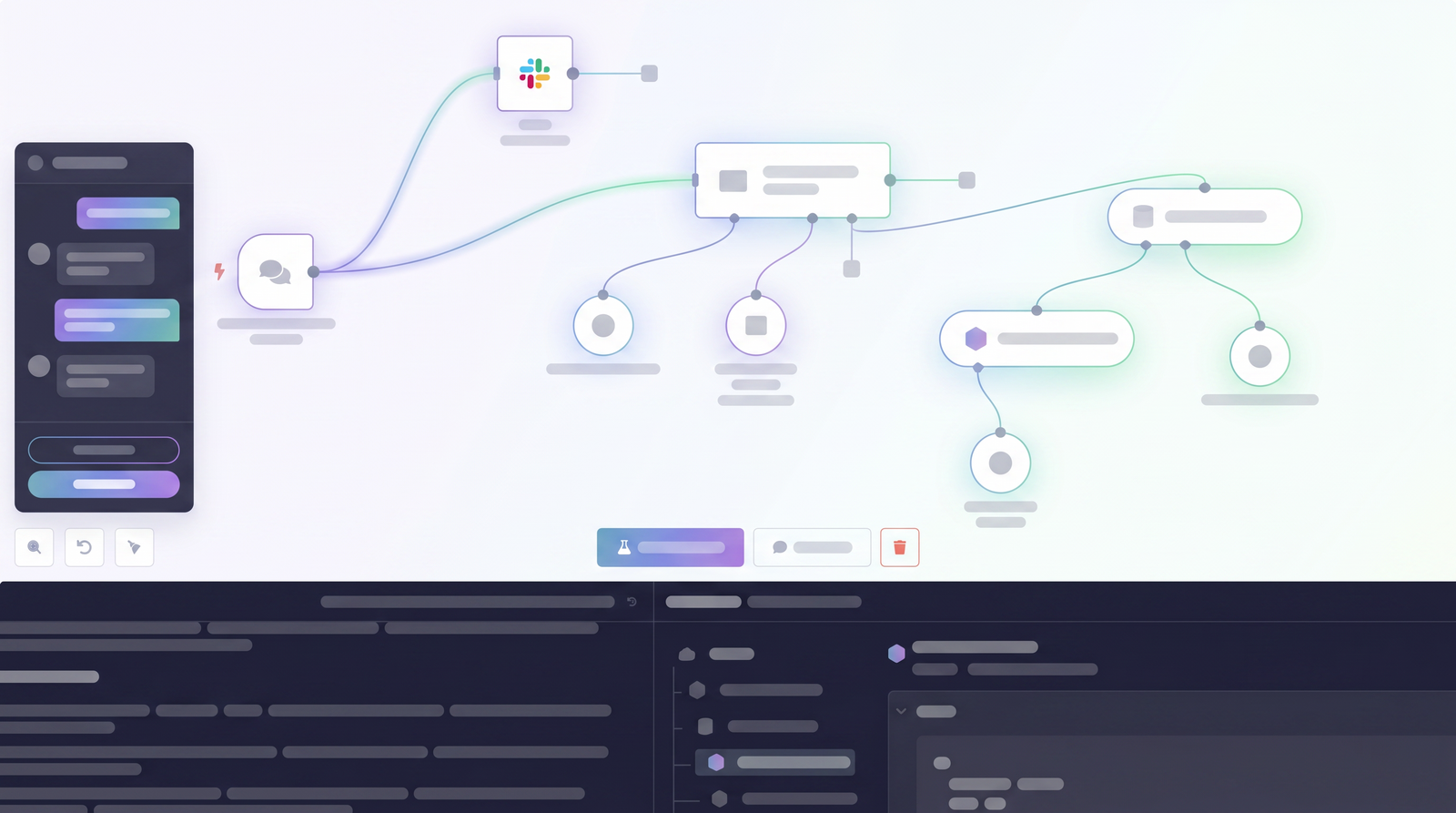
At its core, n8n is designed to help you automate repetitive tasks and integrate various applications and APIs. Think of it as a digital orchestrator for your data and processes. What makes it unique, however, is its node-based visual editor. Instead of writing lines of code for every step, you drag and drop 'nodes' onto a canvas, connecting them to form a logical flow. Each node performs a specific function, from fetching data from an API to sending an email or transforming information.
But here's where n8n truly shines for those with a technical bent: while you build visually, you're never locked out of the underlying logic. It offers the ability to inject custom code, particularly JavaScript and Python, directly into your workflows. This means you can handle complex data manipulations, custom API calls, or specific business logic that off-the-shelf connectors might not support. For me, this combination of visual building and code flexibility is n8n's defining characteristic, positioning it as a powerful tool for developers and technical teams who want both speed and control.
Key Features of n8n
Diving deeper into n8n, you quickly realize it's packed with features designed to empower automation builders. The most prominent, as I've mentioned, is its **node-based visual editor**. This intuitive drag-and-drop interface allows you to construct complex workflows without getting bogged down in syntax. You can easily visualize the flow of data and logic, making it simpler to debug and understand your automations at a glance. It's a game-changer for conceptualizing multi-step processes.
Beyond the visual aspect, n8n boasts an impressive library of **over 400 integrations**. This means you'll likely find pre-built nodes for many of the popular services and applications you already use, from CRM systems and communication platforms to databases and cloud services. If a native integration isn't available, the generic HTTP Request node allows you to connect to virtually any REST API, ensuring you're rarely limited in what you can connect.
For those moments when a standard node just won't cut it, n8n provides robust options for **custom code execution**. You can insert JavaScript or Python nodes directly into your workflow, giving you the power to perform advanced data transformations, implement custom business logic, or interact with less common APIs. This level of flexibility is something I truly appreciate, as it means I can push the boundaries of automation without having to switch platforms or build separate microservices.
A more recent and exciting addition is the inclusion of **AI agent nodes**. These nodes are designed to facilitate the creation of sophisticated AI-powered workflows, complete with reasoning, memory, and tool-use capabilities. While they often require a bit more manual setup, they open up possibilities for building intelligent automations that can interact with large language models and perform complex tasks. Finally, n8n's commitment to **self-hosting capabilities** is a major draw for many, offering unparalleled data control and cost-effectiveness for those willing to manage their own infrastructure.
Getting Started: Cloud vs. Self-Hosted
When you're ready to jump into n8n, one of the first decisions you'll face is how to deploy it: either through n8n Cloud or by self-hosting. Each option has its distinct advantages and implications, particularly concerning data control and overall cost. I've personally experimented with both, and the choice largely boils down to your technical comfort level and specific requirements.
The **n8n Cloud** option is, as you'd expect, the simplest way to get started. It's a fully managed service, meaning n8n handles all the infrastructure, updates, and maintenance. For business owners or marketers who want to leverage n8n's power without diving into server management, this is the clear path. You sign up, and within minutes, you have a working n8n instance. The trade-off here is typically a higher recurring cost and, importantly for some, you're entrusting your data to n8n's cloud environment. While secure, it's not the same as having it entirely on your own servers.
On the other hand, **self-hosting via Docker** is where n8n's open-source nature truly shines. This is the route many developers and technical teams prefer. The setup usually involves a single Docker command, assuming you have Docker installed on your server or local machine. While it requires a bit more technical know-how to get running and maintain, the benefits are significant: complete control over your data, often lower operational costs (especially for high usage, as you're not paying per execution), and the ability to customize every aspect of your n8n instance. It's an excellent addition to any self-hosted toolbelt, as one user pointed out. However, be prepared for ongoing maintenance, updates, and potentially managing your own hosting infrastructure.
My advice? If you're just testing the waters or prefer convenience above all else, start with the cloud. If you're a developer, part of a technical team, or a business that prioritizes data sovereignty and long-term cost efficiency, investing the time to self-host will likely pay dividends.
Pricing Structure: Understanding n8n's Costs
Understanding n8n's pricing structure is crucial, as it distinctly differs between its self-hosted and cloud offerings. This is one of the areas where n8n really stands apart from many competitors, especially for technical users. I've found that the cost-effectiveness, particularly with the self-hosted option, can be a significant draw for developers and teams on a budget.
For those who choose the **self-hosted version**, the community edition is effectively free to use. You download the open-source code, deploy it on your own infrastructure (often via Docker), and you're good to go. Your only costs are those associated with your own hosting, which can be minimal. This provides unlimited executions and workflows, making it incredibly cost-effective for high-volume automation or for those who simply want to avoid recurring SaaS fees. Many users, myself included, appreciate this 'fair-code' approach, as it saves a lot of money compared to other platforms.
However, if you opt for **n8n Cloud**, you'll be looking at a subscription model. While specific plans and prices can fluctuate, the research indicates typical ranges from approximately $20 to $60 per month, depending on your usage. These plans generally operate on a quota-based billing system, meaning you pay for a certain number of workflow executions or data operations. Exceeding these quotas can lead to additional charges, which some users have flagged as a disadvantage. The convenience of a fully managed service comes at this premium, but it removes the burden of server maintenance and provides direct access to n8n's support team.
There's also a self-hosted premium version that offers enterprise-grade features, which can be quite steep in pricing, but it's typically for larger organizations with very specific needs. For most, the decision comes down to the free self-hosted community version versus the paid cloud plans. I always recommend considering your team's technical capabilities and your automation volume when weighing these options, as the long-term cost implications can be substantial.
| Plan | Price | Best for |
|---|---|---|
| Self-Hosted (Community Edition) | Free (plus your hosting costs) | Developers, technical teams, privacy-conscious users, high-volume automation, complete data control |
| n8n Cloud (Starter/Pro) | Approx. $20 - $60/month (quota-based) | Non-developers, small businesses, marketing teams, convenience, managed infrastructure, direct support |
| Self-Hosted (Enterprise) | Custom (higher tier) | Large organizations, advanced security, dedicated support, specific enterprise features |
n8n's Advantages (Pros)
Having spent considerable time with n8n, I've identified several key advantages that make it a compelling choice for specific users. Foremost among these is its **open-source nature**. This isn't just about cost; it's about transparency, community support, and the ability to inspect, modify, and contribute to the codebase. This level of openness fosters trust and ensures no vendor lock-in, which is a huge relief for many developers and businesses.
Closely tied to its open-source model is the benefit of **complete data control**. When you self-host n8n, your data resides entirely on your servers. This is a critical advantage for organizations with stringent privacy requirements or those simply uncomfortable with their sensitive data passing through third-party cloud services. For me, knowing exactly where my data lives provides a significant peace of mind.
The platform's **high customizability** is another major selling point. While the visual editor is excellent for standard tasks, the ability to inject JavaScript or Python code means you're almost never truly limited. I've used this flexibility to handle unique data formats, implement complex conditional logic, and interact with niche APIs that would be impossible with more restrictive tools. This makes it incredibly powerful for crafting truly custom automations that fit your exact needs, not just what a template allows.
For developers and technical teams, n8n offers **cost-effectiveness**. The free self-hosted version, coupled with its robust capabilities, means you can build extensive automation systems without incurring high monthly SaaS fees. It's often cited as a smart, budget-friendly option for those who have the technical chops to set it up. Lastly, n8n truly excels in handling **complex, custom automations**. It's not just for simple if-this-then-that scenarios; its node-based structure and code execution capabilities empower you to design intricate workflows, test automation ideas quickly, and integrate diverse systems in ways that simpler tools simply can't match.
n8n's Disadvantages (Cons)
While n8n offers a lot to love, it's not without its drawbacks, and it's important to be realistic about these before diving in. The most frequently cited, and one I can attest to, is the **steep learning curve**. If you're coming from a purely no-code background, or have limited exposure to programming concepts, n8n can feel overwhelming initially. The flexibility it offers comes at the cost of simplicity; understanding how nodes interact, managing data structures, and debugging complex workflows requires a certain mindset.
This leads directly to its **technical complexity for non-developers**. While the visual editor is user-friendly, getting the most out of n8n often means understanding concepts like JSON, API requests, and even writing small snippets of JavaScript or Python. Marketing teams or business users expecting the plug-and-play simplicity of tools like Zapier might find n8n to be a significant hurdle. It's a tool built with developers in mind, and that shows in its interface and capabilities.
Another point to consider is the **manual setup requirements for advanced features**, particularly with the newer AI agent nodes. While powerful, these aren't always a one-click solution. You'll often need to configure API keys, understand AI model parameters, and potentially write custom logic to get them working exactly as desired. This isn't necessarily a bad thing, as it offers more control, but it does add to the initial setup effort.
Finally, for those who choose the self-hosted route, **ongoing maintenance** is an unavoidable reality. While the initial Docker setup might be straightforward, you'll be responsible for updates, security patches, backups, and ensuring your server resources are adequate. This adds an operational overhead that the cloud version conveniently abstracts away. It's a trade-off for data control and cost-effectiveness, but one that requires a commitment of time and technical resources.
n8n Compared: Alternatives like Zapier and Make
When discussing workflow automation, it's almost impossible not to bring up the established players like Zapier and Make (formerly Integromat). My experience with n8n has consistently highlighted its distinct positioning in this ecosystem. While all three aim to automate tasks, they cater to very different audiences and priorities, and you can see how it stacks up against alternatives on Top10k.
Zapier and Make are generally considered more accessible for a broader audience, particularly non-technical users, marketers, and small business owners. They prioritize ease of use, with highly guided interfaces and a focus on pre-built integrations that require minimal configuration. If your needs are straightforward – connecting two apps with a simple trigger-action flow – these tools are incredibly efficient. They abstract away much of the underlying technical complexity, making them excellent for quick, simple automations.
n8n, on the other hand, takes a decidedly **developer-first approach**. While it has a visual builder, it doesn't shy away from exposing technical details. Its strengths lie in its **open-source nature**, allowing for deep customization and full control over the code. The ability to **self-host** is a massive differentiator, offering complete data sovereignty and often a more cost-effective solution for high-volume use cases. This contrasts sharply with Zapier and Make, which are purely cloud-based SaaS offerings with quota-based billing that can become expensive as usage scales.
Where n8n truly pulls ahead is in **flexibility and complexity**. If you need to manipulate data in intricate ways, integrate with obscure APIs, build multi-step workflows with custom logic, or want to deploy AI agents with fine-grained control, n8n provides the tools. Zapier and Make can handle some complexity, but they often require workarounds or external code snippets for advanced scenarios, whereas n8n makes custom code a first-class citizen. In essence, if you value control, customization, and cost-effectiveness over absolute beginner-friendliness, n8n is likely the better fit.
Who is n8n Best For? Ideal Use Cases
Based on my extensive use and the feedback I've gathered, n8n isn't a one-size-fits-all solution, but it's an exceptional tool for a particular demographic. The primary audience for n8n is undoubtedly **developers, technical teams, and businesses that require a high degree of control and customization** over their automation processes. If you or your team have a solid understanding of basic programming concepts, APIs, and data structures, you'll be able to unlock n8n's full potential.
Specifically, n8n excels in scenarios where:
- Complex Integrations are Needed: If you're trying to connect systems that don't have off-the-shelf connectors, or require intricate data transformations before passing information between services, n8n's custom code capabilities are invaluable.
- Data Sovereignty is a Priority: Businesses and individuals who need to ensure their data remains on their own servers will find the self-hosted option to be a non-negotiable advantage. This is crucial for privacy-conscious teams or those dealing with sensitive information.
- Cost-Effectiveness for High Volume: For organizations with a large number of automations or high execution volumes, the free self-hosted version can lead to substantial cost savings compared to the per-task pricing models of cloud alternatives.
- Testing Automation Ideas: As one user noted, n8n is an ultimate test tool. Its visual nature combined with code flexibility makes it perfect for rapidly prototyping and testing automation concepts in a visual, yet powerful, environment.
- Building AI Agent Workflows: With its dedicated AI nodes, n8n is an excellent platform for experimenting with and deploying sophisticated AI agents, allowing you to combine traditional automation with advanced AI capabilities.
In essence, if you're a developer looking for maximum control, a startup wanting to avoid vendor lock-in, or a company needing to automate processes that are too complex or sensitive for simpler tools, n8n is definitely worth your consideration.
Verdict: Is n8n Worth It in 2026?
After spending considerable time with n8n, exploring its capabilities, and weighing its pros and cons, my verdict for 2026 is a resounding yes – but with a critical caveat. n8n is absolutely worth it, provided you are the right user. It's not a tool for everyone, and setting expectations correctly is key to a positive experience.
For **developers, technical teams, and businesses prioritizing data control, deep customization, and cost-effectiveness**, n8n remains an exceptional choice. Its open-source nature, robust self-hosting options, and the unparalleled flexibility to integrate custom code make it a powerhouse for complex automation. If you have the technical skills to navigate its learning curve and manage a self-hosted instance, the benefits of complete control and potentially unlimited executions far outweigh the initial setup effort and ongoing maintenance.
However, if you're a **non-developer, a marketer, or someone seeking a truly no-code, plug-and-play solution** with minimal technical overhead, n8n's complexities might prove frustrating. The steep learning curve and the need for a foundational understanding of programming concepts can be a significant barrier. In such cases, simpler, more managed platforms like Zapier or Make might be a more suitable starting point, even if they come with higher recurring costs and less flexibility.
Ultimately, n8n is a mature, stable product that offers immense value for those who can harness its power. It empowers you to build sophisticated, highly customized automations that integrate seamlessly with your existing tech stack, all while maintaining full ownership of your data. If you're ready to invest a bit of time into learning its nuances, n8n will reward you with a level of automation capability and control that few other platforms can match.
Full profile and live ranking: https://top10k.com/ai/n8n
Published by

Top10k Tools operates as a web-based utility hub packed with a wide range of free utilities built to get things done faster.
It brings together everything from SEO and coding to file converters, image tools, and handy calculators. All tools are free and browser-based, with no sign-up required to start.
The goal behind Top10k Tools is building 10,000 free mini tools for work, study, and daily life.
For anyone who works online, the right tool is just a click away. Give it a try.
Frequently asked questions
What is n8n's core purpose?
n8n is an open-source, visual workflow automation tool designed to help you automate repetitive tasks and integrate various applications and APIs. It combines a drag-and-drop interface with the flexibility to inject custom code like JavaScript or Python, making it powerful for complex automations.
Is n8n free to use?
Yes, the self-hosted community edition of n8n is free to use. You only incur costs related to your own hosting infrastructure. n8n also offers paid cloud plans with quota-based billing, and a self-hosted enterprise version with advanced features.
What's the difference between n8n Cloud and self-hosted?
n8n Cloud is a fully managed service, offering convenience and direct support at a recurring cost. Self-hosting, typically via Docker, gives you complete data control, unlimited executions (in the community edition), and often lower long-term costs, but requires technical setup and ongoing maintenance.
Is n8n difficult to learn?
n8n has a steeper learning curve compared to simpler no-code tools. While it features a visual editor, getting the most out of it often requires an understanding of concepts like APIs, JSON, and basic scripting (JavaScript/Python). It's more suited for developers and technical users.
How does n8n compare to Zapier or Make?
n8n is a developer-first tool emphasizing open-source, self-hosting, and deep customization with code flexibility. Zapier and Make are generally more user-friendly for non-technical users, focusing on simpler, pre-built integrations and operating as cloud-based SaaS with quota-based pricing.
Can non-developers use n8n?
While non-developers can use n8n for basic tasks on the cloud version, its full potential and cost-effectiveness are best realized by those with technical skills. The learning curve and need for custom code in advanced scenarios can be challenging for users without a development background.
What are n8n's AI capabilities?
n8n includes dedicated AI agent nodes that allow you to build sophisticated AI-powered workflows. These nodes support reasoning, memory, and tool use, enabling complex interactions with large language models, though they often require manual setup and configuration.
Is n8n worth it in 2026?
Yes, n8n is worth it in 2026 for developers, technical teams, and businesses that prioritize data control, high customizability, and cost-effectiveness for complex automations. For those willing to navigate its learning curve, it offers unparalleled flexibility and power.